Updated note 1/27/11 -Just a note for those who may just be finding this...my work has been done in Inkscape version 0.46 so if you have a different version there may be variations from what I've presented but there is a great Inkscape help site
here called Inkscape Cutting Design...be sure to check it out!
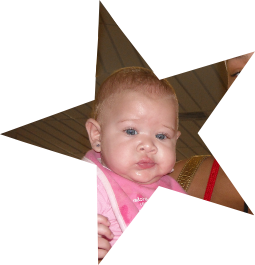
I've been playing with some files and wanted to use a picture of my great-niece, Leyana. So I cut out her picture and then added some copy and the star frame so I thought I would share the process of working with the picture in Inkscape.
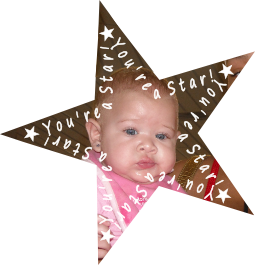

The file will include these elements (well, minus the cute photo! You'll have to supply your own)...however the star with the copy may be better for printing. The small star is the template I used for the picture cutout. File in Borders & Frames link in sidebar or
here!
After importing the image I wanted to work with I need Inkscape to see it differently so I went to the
Objects menu ->
Pattern ->
Objects to Pattern. This allows Inkscape to "see" the picture as a rectangle.

Then I go to
Path menu ->
Objects to Path.

Next I import the star file, size it for the image and ungroup the elements and bring the small star over the picture to cut out the part of the image I want to use.
Select both objects and go to
Path menu ->
Division

Now because the area I wanted left me with a chopped off point on my star I went into the node edit to correct that.
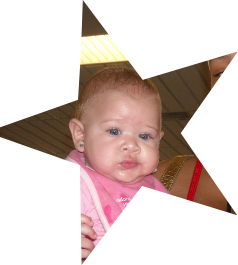
Also I didn't really like the glaring light above her so I duplicated the picture, drew a shape with the pen over another part of the ceiling, selected both and went to Path->Division which gave me just that small ceiling area that I could rotate and edit to block the light above Leyana.
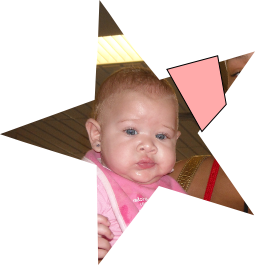
Here was the end result! (Isn't she adorable?!) And as shown above, there are some additional ways to frame her with the dark star or the lighter copy over the picture.
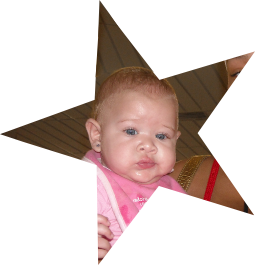
The text only file will be included as well.

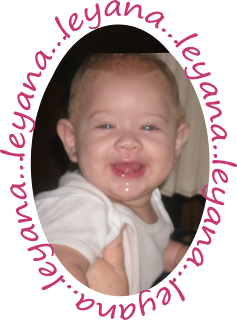
A similar idea done here with an oval and personalizing with her name...several offer tuts on making text fit a shape...it's a great way to personalize a card!




 Now because the area I wanted left me with a chopped off point on my star I went into the node edit to correct that.
 Also I didn't really like the glaring light above her so I duplicated the picture, drew a shape with the pen over another part of the ceiling, selected both and went to Path->Division which gave me just that small ceiling area that I could rotate and edit to block the light above Leyana.


